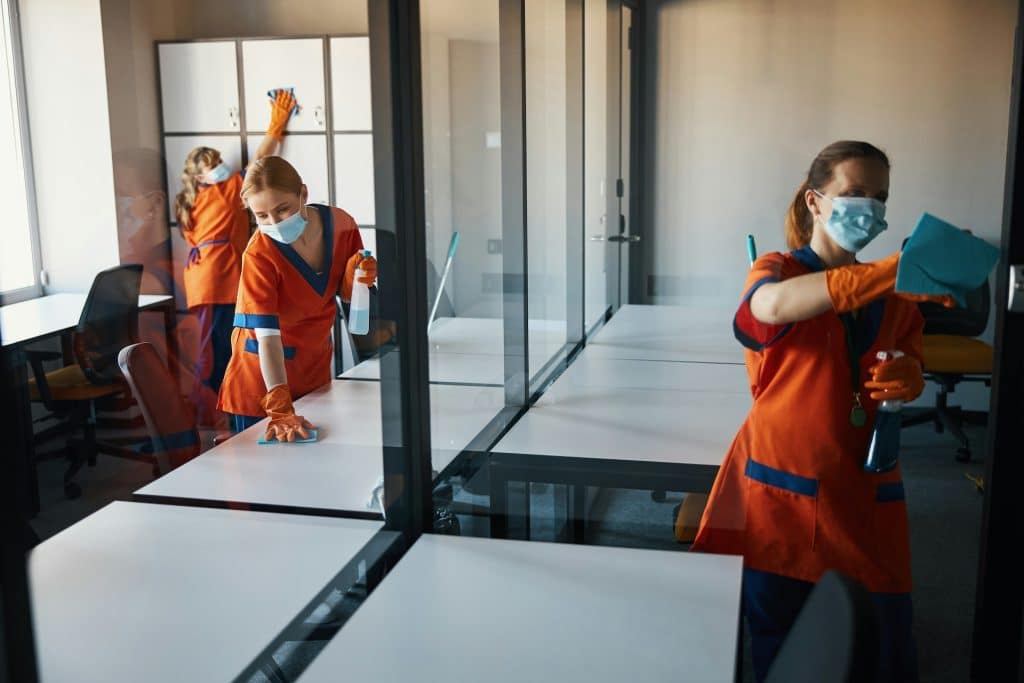
Dust on a laptop fan. Crumbs between keyboard keys. Coffee rings near printers. Little things like these might not seem like a big deal at first, but over time, they can cause a lot of wear and tear on your office equipment. When you think about how much your team relies on items like computers, monitors, printers and phones to get their jobs done, keeping them clean starts to make a whole lot more sense. A tidy work environment doesn’t just feel better, it also protects your gear, saves maintenance costs and prevents disruptions to your workday.
In a place like Lake Macquarie, where summer heat and coastal moisture can sneak indoors, it’s even more important to pay attention to cleaning routines. A clean workspace works both ways. It keeps your staff happy and your machines running well. Let’s look at how good cleaning habits can help give your office equipment a longer life, step by step.
Regular Cleaning Practices
Daily grime builds up fast, especially in shared workspaces. Dust and oils from hands can slowly settle on screens, keyboards, desks and other surfaces. If ignored, that build-up not only makes the area less pleasant but can also harm your hardware over time.
Here are a few simple areas where regular care makes a solid difference:
– Desks and workstations: Wipe down desks with a non-abrasive, slightly damp cloth to keep the space neat and prevent dust from creeping into the cracks of equipment nearby.
– Monitors and screens: Use a soft, lint-free cloth to gently clean screens. Avoid spraying cleaner directly on the screen. Instead, dampen the cloth first.
– Keyboards and mice: Flip the keyboard over and gently shake out the dust and crumbs. You can also use a hand-held vacuum or soft brush. Wipe down keys and the mouse with wipes meant for electronics.
– Phones and headsets: These can collect a lot of germs and grime. Give them a regular wipe with a cloth dampened with a bit of electronics-safe cleaner.
– Chairs and shared equipment: Wipe down the arms and any controls, especially in shared workspaces. Dirt left in crevices of chair adjustments or photocopier handles can pile up fast.
A good way to stay on track is to add these tasks to a weekly cleaning list. Don’t wait for the gear to look dirty. Clean lightly and regularly instead. This helps keep everything working smoothly, with less risk of mechanical issues from things like clogged fans or stuck keys.
Take keyboards, for example. Once grime settles in, the buttons can become sticky or unresponsive. That’s the sort of issue that can slow down a full team and ends up costing time, all from something that’s easy to prevent with routine cleaning.
Special Attention To Electronic Equipment
Office electronics are picky. They don’t mix well with moisture, dust or heat. Even the slightest build-up inside can affect performance. That’s why giving your electronics some extra attention during cleaning can go a long way.
You don’t need to crack things open or get technical. What matters is keeping surfaces clean and airways clear so they can run properly. Here’s where to focus:
– Computers and laptops: Place them on smooth, hard surfaces with enough airflow around them. Clear dust off vents using canned air or a soft brush, rather than wiping across them where dirt can get pushed in.
– Printers and scanners: Avoid having them near windows where they might get sun or rain. Keep the glass panel clear and the paper feed tray free of dust and loose paper scraps.
– Charging stations: These areas often go unnoticed, but power bricks and plug points gather dust. Wipe them down regularly to stop heat from building up.
– Power boards and cables: A messy tangle of cords under a desk can collect dust and make troubleshooting harder. It’s safer and cleaner to keep them bundled neatly and off the ground when possible.
Be careful when using any liquids near electronics. Damp cloths are fine if they’re just used to gently wipe the outside of a device, but never get moisture near ports, buttons or open vents. It doesn’t take much for a splash to stop something from working.
These small habits can make a big difference down the line. Electronics are one of the costlier things to replace in an office. Taking routine steps to keep them clean won’t just save money, it means fewer disruptions and a smoother workday.
Seasonal Cleaning Considerations
The climate in Lake Macquarie shifts with the seasons, and so should your office cleaning efforts. Office equipment reacts to heat, humidity and changes in air quality, and if those factors aren’t managed properly, it can lead to damage.
During the warmer months, humidity becomes a bigger issue. Moisture can work its way into tight spaces in electronics, especially around fans and ports. It doesn’t take long for that to affect how machines cool themselves or transfer power. Summer also means increased air conditioning use, which stirs up dust through ducts and vents, coating surfaces and creeping into equipment if it’s not dealt with often.
In winter, heaters can dry out air, leading to static electricity build-up. Static might seem harmless, but it can cause problems for gear like printers and drives if too much charges up around them.
To help keep your office machines working smoothly through the year, adjust cleaning routines based on the season. Consider these steps:
– Clean AC and heater filters regularly to keep dust from circulating.
– Wipe down electronics with anti-static cloths during dryer months.
– Use dehumidifiers or moisture absorbers near electronics when humidity rises.
– Pull equipment away from walls or windows during seasonal changes to give them cleaner airflow.
– Keep cords and ports off damp carpets or high-foot-traffic floors where condensation can collect.
Taking these small seasonal adjustments into account helps lower the chance of damage and means your machines don’t have to work as hard. That leads to better performance, longer life and fewer interruptions throughout the year.
Why Professional Office Cleaning Supports Equipment Longevity
Even with the best intentions, most office teams don’t have the time or focus to clean thoroughly and consistently. Cleaners who are trained to handle office equipment, especially in places like Lake Macquarie, know how to balance cleanliness with care. The goal isn’t to wipe everything down quickly, it’s to clean items in ways that protect them from slow wear and damage.
Here’s how professional office cleaning helps extend the life of your equipment:
– They recognise which cleaning products are safe for different surfaces and electronics.
– They clean beneath and behind equipment, not just what’s easy to reach.
– They manage regular routines to prevent dust from settling into vents or internal parts.
– They spot early warning signs, like sticky keys or odd fan sounds, and can flag them before there’s a bigger problem.
– They clean shared areas like printer stations and communal desks where multiple users can spread more grime.
Beyond the day-to-day, a regular professional cleaning plan also creates consistency. That means fewer gaps where dust or spills can build up without anyone noticing. The result? Less downtime, fewer maintenance requests and cost savings over time.
How Clean Equipment Keeps Everything Running Smoothly
When an office runs smoothly, people often don’t stop to think why. Printers work when needed, laptops don’t overheat during long video calls, and headphones aren’t sticky the moment you pick them up. But behind that seamless workday is often a simple habit, keeping things clean.
A good cleaning routine makes the workplace more comfortable, which carries over to team morale and productivity. No one looks forward to sitting at a dusty desk or struggling with a keyboard that sticks. Clean equipment doesn’t just last longer, it works better while it’s in use, improving day-to-day comfort for everyone using it.
By combining smart cleaning habits with seasonal care and support from professionals, office equipment in Lake Macquarie can continue to serve your team rather than slow them down. Clean practice goes beyond better hygiene. It’s a form of maintenance that protects your tools and keeps your work flowing. When your gear works properly, your team can too.
Maintaining an office efficiently takes a mix of consistent upkeep and trusted hands. To keep your workspace running smoothly and avoid unnecessary equipment issues, it’s worth turning to expert help in office cleaning in Lake Macquarie. City and Regional Cleaning Services provides dependable care that helps your equipment last longer while creating a more productive environment for your team.